

Step-by-Step Guide on How to Apply
A simple visual walk-through detailing how to start your ODeL application, verify billing, and complete your registration payment.
Start Your Application Today
Click below to open the official Mountain Top University Admissions Portal. Use this guide alongside the portal to complete your enrollment payment seamlessly.
Choose Your Action
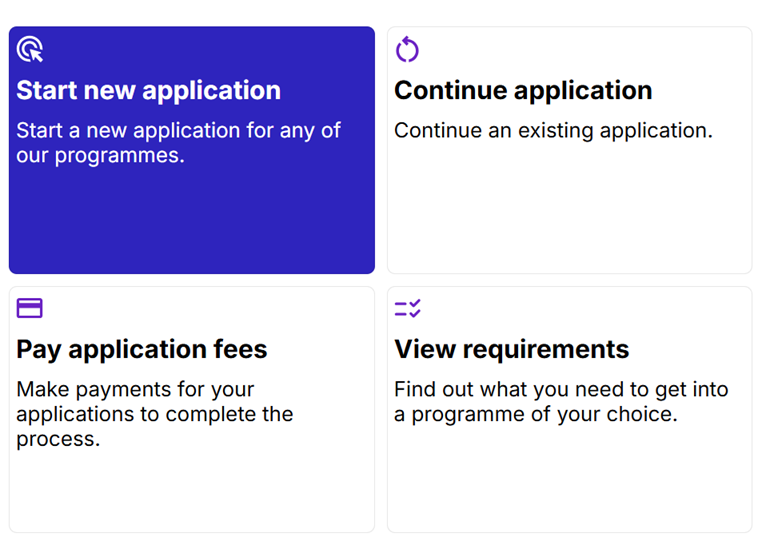
Go to the official MTU applications home dashboard. Select the desired option for your flow.
- ▶ Click Start new application to begin a fresh application process.
- ▶ Alternatively, select Pay application fees to resume and pay for an existing draft.
Fill Basic Details
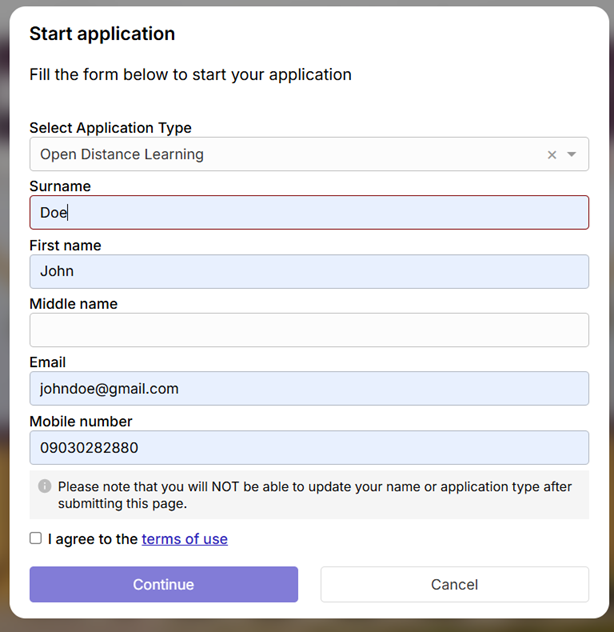
Provide your registration details to start. Ensure the input matches your official academic credentials.
- Input your Surname, First Name, Email, and Mobile number.
- Note: Names and Application types CANNOT be modified after submission.
- Tick "I agree to the terms of use" and click Continue.
Obtain Reference Number
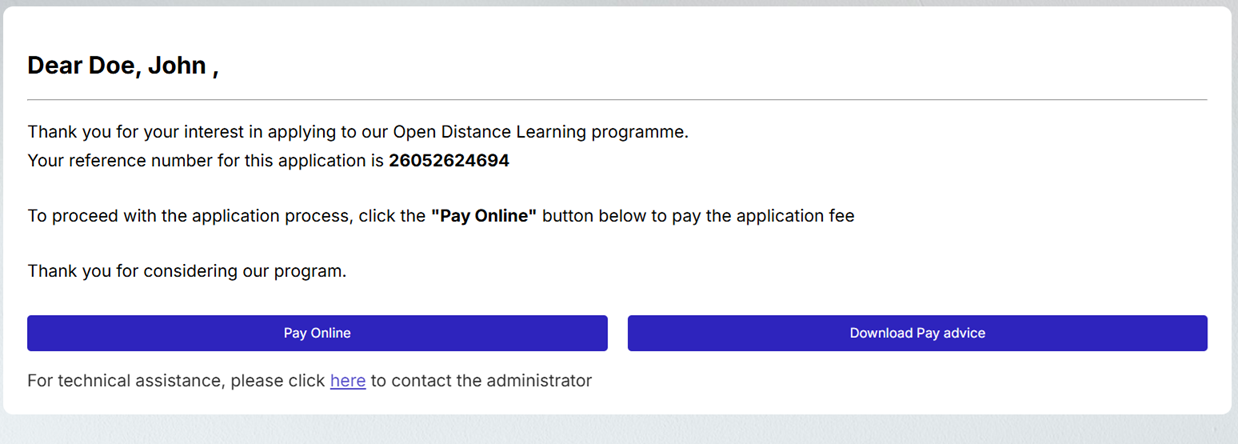
A personalized reference number (e.g. 26052624694) will be generated for your profile.
- Copy the reference number. It is essential for checking your payment status or resuming application drafts.
- Click the Pay Online button to advance directly to the verification page, or click Download Pay advice to save a local receipt copy.
Verify Amount Details
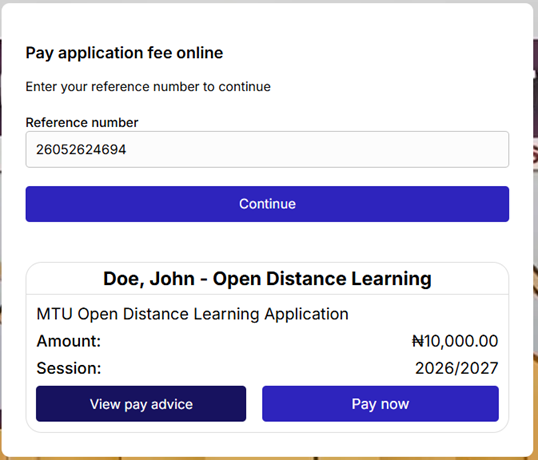
Verify your details and billing amount before checking out.
- If resuming later, enter your copied reference number in the box and click **Continue**.
-
Review the billing card:
• Application Fee: ₦10,000.00
• Session: 2026/2027 - Click Pay now to open the transaction gateway interface.
Review Gateway Summary
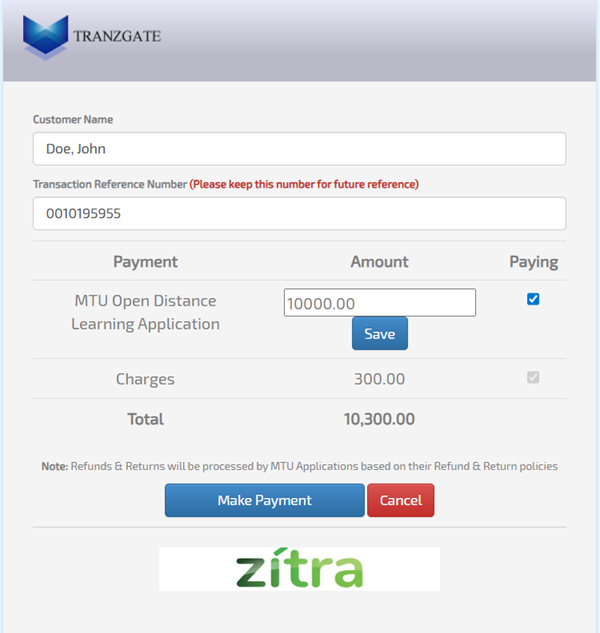
The TRANZGATE secure gateway page will load to process the fee.
- Verify your billing details. Note that a standard transaction charge of ₦300.00 is added by the gateway.
- Total Payable Amount: ₦10,300.00
- Keep the Transaction Reference Number displayed for your reference, and click the blue Make Payment button.
Complete Bank Transfer
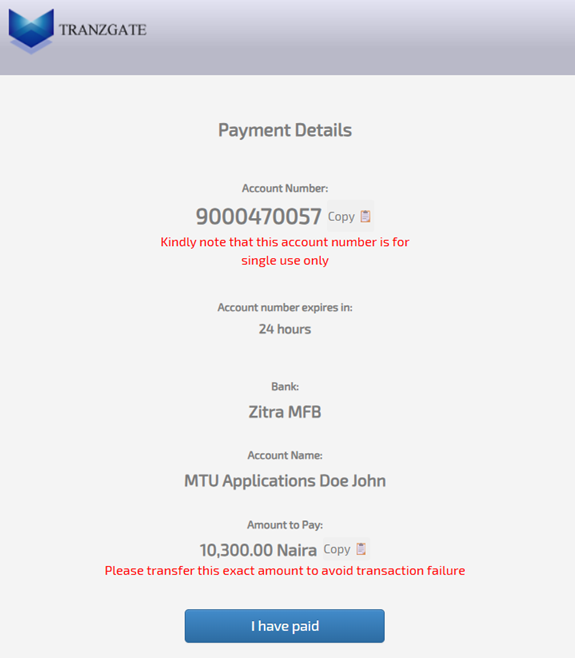
Complete your payment using bank transfer.
- • The generated account number at Zitra MFB is a SINGLE-USE account and expires in 24 hours.
- • Transfer the EXACT amount of ₦10,300.00. Transferring any other figure will cause a transaction failure.
- Verify the recipient account name appears as: MTU Applications [Your Name].
- Once the transfer is successful, click the blue I have paid button to finalize payment validation.
Ready to Start Your Journey?
Now that you understand the process, click below to open the portal and submit your application.